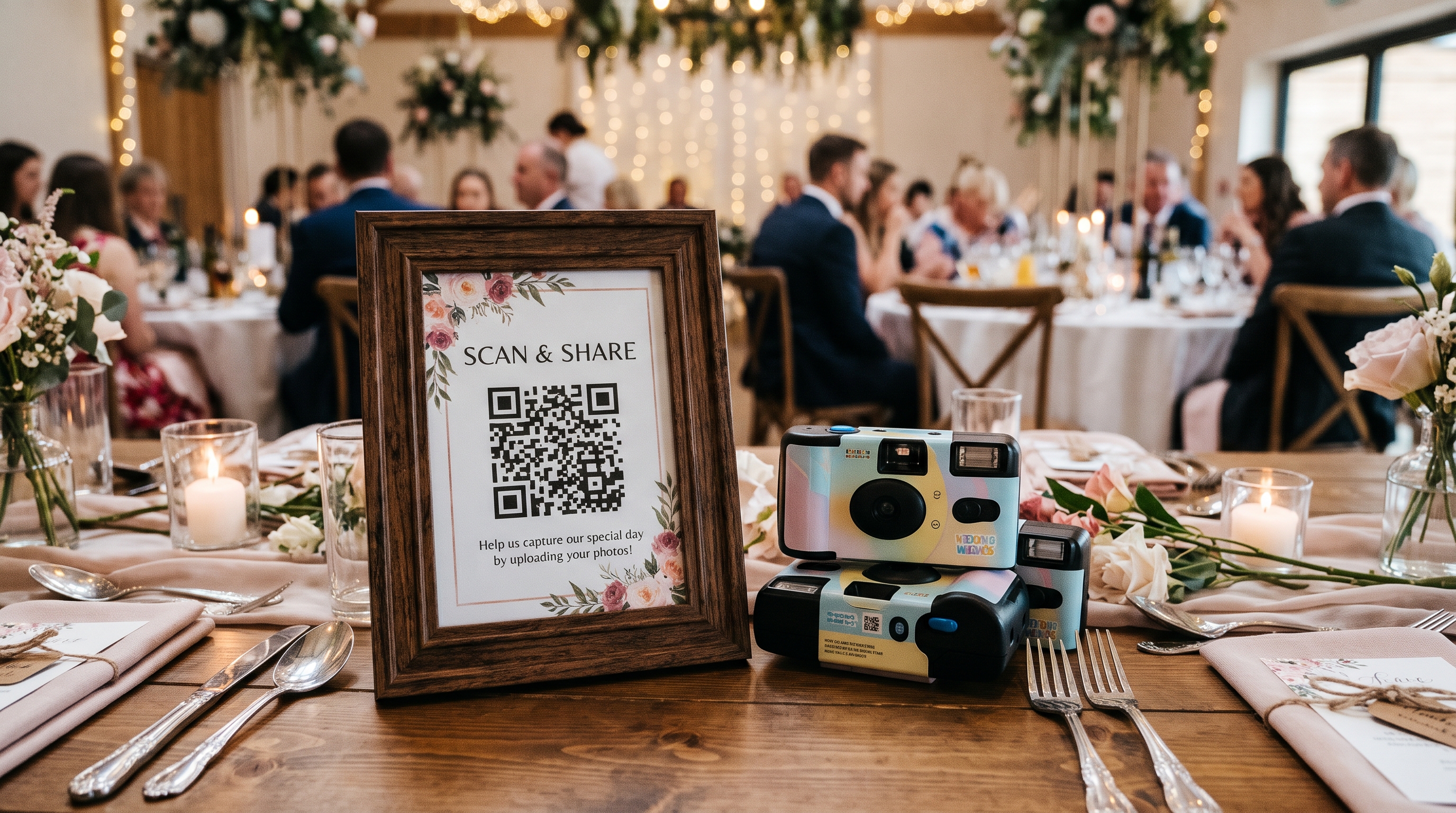
Disposable Cameras vs. QR Code Photo Sharing for Weddings

Sam Erickson
Disposable cameras are back on wedding tables everywhere, and it's easy to see why: there's something genuinely fun about the unpredictable, grainy look of film. But before you order a dozen for your reception, it's worth knowing the real cost and the real wait, and how it stacks up against a QR code photo gallery.
What disposable cameras actually cost
The cameras themselves are only part of the bill. Here's the full breakdown for a typical 100-guest wedding:
- Cameras: $12–$20 each, roughly 27 exposures per camera. At one per table (10–12 tables), that's $150–$300.
- Developing: $10–$20 per roll to process the film.
- Scanning to digital: Often a separate fee, another $5–$15 per roll if you want anything beyond physical prints.
- Reprints or extra prints: If you want copies for family, add more per set.
All in, a disposable camera setup for a 100-guest wedding typically runs $300 to $650 once developing and scanning are included. And that's before accounting for cameras that get left behind, lost, or never turned in at all.
The wait
The bigger trade-off isn't the price, it's the time. Film has to be physically collected from every table, dropped off at a store or mailed off, developed, and scanned before anyone sees a single image.
- In-store processing: 3–7 days at a one-hour photo counter, if one is still nearby.
- Mail-in developing: 1–2 weeks round trip, sometimes longer during busy wedding season.
- No preview: You find out which shots came out blurry, overexposed, or with a finger over the lens only after developing, with no way to retake them.
Most couples don't see a single disposable camera photo from their wedding until well after the honeymoon.
What a QR code gallery costs instead
A QR code photo gallery skips the physical camera, the developing, and the wait entirely. With Qrowd Pics, guests scan a code on their table card and upload directly from the phone they're already holding. Photos appear in your gallery instantly, in full resolution.
- ✓ Free tier available (up to 20 uploads) to test before your wedding
- ✓ Standard plan: $39 one-time fee, unlimited uploads, 6-month upload window
- ✓ Premium plan: $49 one-time fee, adds upload approval and a live full-screen slideshow
- ✓ Photos visible the moment they're uploaded, no developing, no scanning, no wait
Total cost: $39 to $49, flat, regardless of guest count. No camera to lose, no roll to drop off, and no risk of a ruined shot you can't retake.
Side-by-side comparison
| QR code gallery | Disposable cameras | |
|---|---|---|
| Typical total cost (100 guests) | $39–$49 | $300–$650 |
| Time until you see photos | Instant | Days to weeks |
| Review or retake a bad shot | Yes | No |
| Risk of total loss | None, saved instantly | Camera lost or never turned in |
| Nostalgic film look | No | Yes |
| Video support | Yes | No |
Why disposable cameras are trending anyway
None of this means disposable cameras are a bad choice. They're genuinely fun on a reception table. Guests like picking one up between courses, and the unpredictable, slightly imperfect film look has a charm no phone camera replicates. The trade-off is simply cost, wait time, and the risk of losing a camera before it's ever developed. Going in aware of that trade-off is the point, not talking anyone out of the nostalgia.
Why most couples end up using both
Disposable cameras and a QR code gallery aren't competing for the same job. A couple of disposable cameras on a few tables give guests something fun to interact with and a distinct keepsake aesthetic. A QR code gallery runs the entire event in the background, capturing what guests are already shooting on their phones. In practice, that's the vast majority of the photos and nearly all of the video from the day.
Running both costs roughly the same as disposable cameras alone, since the QR code gallery adds only $39 to $49 on top. You get the nostalgic film shots as a bonus, plus a guaranteed, instant, full-resolution archive of everything else.
How to collect and share your disposable camera photos
The hardest part of disposable cameras isn't taking the photos. It's getting them back from every table and into the hands of the people who were there. A little planning makes the film shots part of the same gallery as everything else.
- Put a QR code card next to every camera. Guests who run out of exposures can keep shooting on their phones, and a short line like “Film photos will be posted here after the wedding” tells them where to look later.
- Number the cameras and assign someone to collect them. Label each camera with its table number, set a basket by the exit, and ask a coordinator or bridesmaid to sweep the tables at the end of the night. Most lost cameras are simply left behind.
- Ask for digital copies when you get the film developed. Choose a developing service that emails you a download link, not just prints, and ask for JPEG files. That keeps each photo well under the 20 MB limit and ready to upload. If you used digital disposable-style cameras instead of film, you can skip this step and copy the photos straight off each camera's memory card.
- Upload every camera's photos to your Qrowd Pics gallery. Open your gallery link, select all the photos from one camera, and upload them in one go. They land right next to your guests' phone photos and videos. On the Premium plan, the name field lets you label each camera, for example “Table 6 camera.”
- Share the QR code in your thank-you notes. Print the code on your thank-you cards or a small insert. Guests get to see the film photos for the first time, plus every shot from the day in one place. The Standard and Premium plans keep uploads open for 6 months, so guests who never uploaded at the reception can still add the photos sitting on their phones.
The free plan's 1-day upload window closes long before developed film comes back, so pick Standard or Premium if you plan to add disposable camera photos later.
Digital disposable cameras like CampSnap and Kodak PIXPRO
Digital cameras built to feel like disposables, such as the CampSnap, and budget point-and-shoots like the Kodak PIXPRO skip the developing step entirely. You copy the photos off the memory card the same night. They have one quirk worth knowing about before the wedding, though.
Most of these cameras have no sensor to tell which way they're being held. Phones record that automatically, but these cameras save every photo as landscape. Any shot taken with the camera turned on its side, which is most portraits and most group photos of people standing, shows up sideways on your computer and in any gallery you upload it to.
- Rotate them after upload. In your Qrowd Pics admin console, every photo and video has a rotate button. Each tap turns it a quarter turn, just like the Photos app on an iPhone, and guests see the corrected version in the gallery.
- Downloads come out upright too. The rotation is saved into the file itself, not just the way the gallery displays it, so single downloads and the full ZIP download are already the right way up. There's nothing to fix again in another app.
- Guests can rotate before uploading. A guest uploading their own camera's photos can turn a sideways photo in the upload preview, so it arrives in the gallery the right way up.
What about disposable camera apps like POV and Lense?
Some couples skip the film entirely and use a disposable camera app like POV or Lense. These apps recreate the experience on a phone, usually with a limited number of shots per guest and a “reveal” that keeps the photos hidden until after the wedding. Their pricing typically scales with guest count, so a bigger wedding costs more.
A QR code gallery takes a different approach. Instead of rationing shots, Qrowd Pics lets every guest share as many photos and videos as they want, taken with the phone camera they already know, in full resolution. Nobody runs out of shots halfway through the reception, and nobody skips the first dance because they were saving their last few. The price is the same flat $39 to $49 whether you invite 50 guests or 500.
| Guests | Qrowd PicsUnlimited photos and videos | POVPhotos only, limited shots per guest | LenseUp to 25 photos per guest, video extra |
|---|---|---|---|
| Up to 50 | $39–$49 | $14.99 | $14.99 |
| Up to 100 | $39–$49 | $34.99 | $34.99 |
| Up to 150 | $39–$49 | $64.99 | $44.99 |
| Up to 250 | $39–$49 | $89.99 | $69.99 |
| Up to 500 | $39–$49 | Contact for pricing | $99.99 |
Prices in USD as of October 2026, one-time fee per event. POV is photo only, with the host setting how many shots each guest gets. Lense charges an extra $10 for unlimited captures and $9.99 for video. Qrowd Pics includes unlimited uploads and video on both paid plans, and Premium ($49) adds the upload approval used for a reveal.
If the reveal is the part you love, you can still have it. Turn on upload approval with the Premium plan, and nothing appears in the gallery until you approve it. Guests keep uploading all night, and when you're ready, approve the photos and the whole gallery appears for everyone. Your thank-you notes make a natural moment for the big reveal.
Getting started
Setting up a Qrowd Pics gallery takes about five minutes: create an event, customize your gallery URL, download your QR code, and print it on your table cards alongside (or instead of) your disposable cameras.
Try the guest experience yourself first with the live demo, or create a free event to test the full upload flow before deciding on a plan.
Disposable cameras at weddings FAQ
How much do disposable cameras cost for a wedding?
A single-use disposable camera typically costs $12 to $20 and shoots around 27 exposures. For a 100-guest wedding, most couples buy 12 to 15 cameras to place around the tables, which runs $150 to $300 before any developing costs.
How many disposable cameras do I need for a wedding?
A common rule of thumb is one disposable camera per table of 8 to 10 guests. For a 100-guest wedding with 10 to 12 tables, that's 10 to 12 cameras. Some couples add a few extra for the bridal party or dance floor to account for cameras that get left behind or run out of exposures early.
How long does it take to get disposable camera photos developed?
Getting a roll of film developed and scanned usually takes 3 days to 2 weeks, depending on whether you choose mail-in or in-store processing. Couples typically don't see a single wedding photo from their disposable cameras until well after the honeymoon.
Is a QR code photo gallery cheaper than disposable cameras for a wedding?
Yes. A QR code gallery like Qrowd Pics is a one-time fee of $39 to $49 regardless of guest count. A disposable camera setup for the same wedding, including cameras and developing/scanning fees, commonly totals $300 to $650 and takes days to weeks before any photos are visible.
Can you use disposable cameras and a QR code photo gallery together at a wedding?
Yes, and it's a popular combination. A few disposable cameras on key tables give guests a fun, nostalgic activity and a distinct film look as a keepsake. A QR code gallery runs the entire event in the background, capturing every guest's phone photos and videos instantly, with no risk of a lost camera or a bad roll of film.
How do I share disposable camera photos with wedding guests?
When you get the film developed, ask for digital copies of the photos, then upload every roll to the same QR code gallery your guests used at the reception. Print the QR code in your thank-you notes so guests can see the film photos alongside everyone's phone photos and videos, and add any photos of their own they never uploaded.
What's the difference between a disposable camera app like POV or Lense and a QR code photo gallery?
Disposable camera apps like POV and Lense usually limit each guest to a set number of shots, hide the photos until a reveal, and price by guest count. A QR code gallery like Qrowd Pics has no shot limits, accepts photos and videos from the phone's own camera in full resolution, and costs a flat $39 to $49 for any number of guests. With upload approval on the Premium plan, you can still hold every photo back and reveal the whole gallery when you're ready.
How much do POV and Lense cost for a wedding?
As of October 2026, POV costs $34.99 for up to 100 guests and $89.99 for up to 250 guests, and it doesn't support video. Lense costs $34.99 for up to 100 guests and $69.99 for up to 250 guests, plus $10 for unlimited captures and $9.99 for video. Qrowd Pics is a flat $39 to $49 for any number of guests, with unlimited uploads and video included.
Why are my CampSnap or Kodak PIXPRO photos sideways?
Many budget digital cameras, including the CampSnap and Kodak PIXPRO, have no sensor to tell which way the camera was held. Every photo is saved as landscape, so a photo taken with the camera turned on its side shows up sideways. In a Qrowd Pics gallery you can rotate any photo or video from the admin console, and the rotation is saved into the file itself, so downloads and ZIP files come out upright too.
Further reading
- Wedding Guest Photo Sharing: The Best Way to Share Wedding Photos: every way to share wedding photos with guests compared, plus where to put the QR code and how to get guests to upload.
- 11 Best Wedding Photo Sharing Apps 2027: a ranked comparison of the top apps for collecting and sharing wedding photos.
- Wedding Photo Booth vs. QR Code Photo Sharing: Cost Compared: a real cost breakdown of a photo booth rental versus a QR code gallery, including hidden fees and whether you need both.
- New: Live Photo & Video Slideshow for Your Event: Qrowd Pics Premium's live full-screen slideshow displays every guest photo and video on a screen at your venue in real time.
Get every photo, instantly, for $39
No developing, no scanning, no waiting. Photos appear the moment guests upload.