Wedding Guest Photo Sharing: The Best Way to Share Wedding Photos

Sam Erickson
Updated
Wedding guest photo sharing has two halves: collecting the candid shots your guests take, and sharing the finished gallery back with everyone afterward. Most couples only solve one of them. This guide compares every way to share wedding photos with guests, then walks through exactly how to get guests to upload theirs.
The problem is rarely that guests don't want to share. It's that every method requiring effort gets skipped. A guest who took 40 great photos during cocktail hour means to send them, opens their camera roll a week later, feels overwhelmed and never follows through. The methods that work are the ones that make the path from “I took a photo” to “it's in the couple's album” as short as possible, ideally during the reception while guests are already holding their phones.
Best way to share wedding photos with guests: 7 methods compared
Here are the main ways couples share wedding photos, from free options to purpose-built galleries, with an honest verdict on each.
Method 1: Sharing wedding photos in a group chat (WhatsApp, iMessage)
Most couples' first instinct is to create a group chat and ask guests to drop their photos in. It feels natural because everyone already uses it. The problems appear almost immediately.
- Compression destroys quality. WhatsApp compresses photos to roughly 20% of their original file size. The candid of your first dance that your aunt took on a recent iPhone arrives looking like it was shot on a 2012 Android.
- Downloading is miserable. Saving 300 individual photos from a chat thread, one tap at a time, takes a full afternoon. There is no bulk download.
- The thread dies. Guests post enthusiastically for 24 hours and then forget. Anyone who didn't post in the first day rarely comes back to it.
- Not everyone is in the same app. Half your guests use iMessage, half use WhatsApp, your older relatives use neither, and someone will inevitably reply to the whole group for the next three months.
Verdict: Works for collecting a few photos from close family. Falls apart at any real scale.
Method 2: A wedding photo Dropbox or Google Drive folder
Sharing a Dropbox or Google Drive link sounds practical. One link, anyone can upload, no app required. In theory. In practice, this is where guest participation goes to die.
- Permissions are confusing. Guests click the link and are immediately met with a sign-in prompt or a permissions screen. Most give up before they get past it.
- File organization is a mess. Without structure, photos land in a flat folder with no way to know who uploaded what. One enthusiastic guest with 200 photos buries everything else.
- Storage limits apply. A wedding with 50 guests uploading in full resolution can easily eat through a free Google Drive account in one evening, and video fills it even faster.
- No notifications. You have no idea when someone uploads. You check the folder days later and find a handful of photos from three guests, with no way to nudge the rest.
Verdict: Looks good on a spreadsheet. Produces a 10% participation rate in real life.
Method 3: A Google Photos shared album for your wedding
Google Photos is a genuine step up from a raw Drive folder. You can create a shared album, generate a link, and guests can contribute without you managing individual permissions.
- Google account required. Guests who don't have a Google account, or who are signed into the wrong one on their phone, can't contribute. This cuts out a meaningful share of guests immediately.
- iPhone guests need the app. Apple users don't have Google Photos installed by default. Asking someone to download an app at a wedding reception is asking a lot.
- Quality is generally preserved. This is a genuine advantage, since original-resolution uploads are supported on recent Google Photos plans.
- No QR code built in. You get a link, so you need a separate QR code generator to put it on a table card, and a link buried in a text message is much harder to act on than a code guests can scan in five seconds.
Verdict: The best free option, but the Google account requirement limits participation compared to purpose-built solutions.
Method 4: An iCloud shared album
For iPhone users, iCloud Shared Albums are a built-in option that requires no extra app. You create a shared album in the Photos app, invite contributors, and they add photos directly from their camera roll. Quality is preserved and uploads appear instantly.
- Android guests are locked out. Viewing the album through a shared link works on Android, but uploading requires an Apple device. Android guests can only look, not contribute.
- Invite-only by design. You add contributors individually using their Apple ID or email. For a wedding with 80 or 150 guests, setting this up in advance is not practical.
- 5,000 item limit. Large weddings with enthusiastic uploaders, especially if guests share videos, can hit this ceiling.
- No QR code built in. Like Google Photos, the entry point is a link rather than a code at the table, and fewer guests act on a link than on a QR code they can scan in seconds.
Verdict: A solid option for small, iPhone-heavy weddings where you know contributors in advance. Falls apart for larger guest lists or any group with Android users.
Method 5: A wedding hashtag and Instagram tagging
Asking guests to tag you on Instagram or use a wedding hashtag is a social share, not a photo collection strategy. Guests have to post publicly, photos are compressed and cropped, videos are often cut short, and there is no reliable way to gather everything in one place afterward. Your relatives in their 60s and guests who don't use Instagram, often the ones with the most interesting candids, contribute nothing.
Verdict: A supplement, not a solution. Fine for social buzz, useless for actually collecting photos.
Method 6: Disposable cameras on the tables
Disposable cameras are fun and tactile, and they give guests something to play with during dinner. But you only get the photos after the film is developed, which takes days or weeks, you need to pay for scanning to get digital copies, and there are no videos at all. Disposable cameras vs. QR code photo sharing breaks down the real cost.
Verdict: A nice complement to a digital option, not a replacement for one.
Method 7: A wedding photo QR code gallery (no app)
The best way to share wedding photos, both collecting them from guests and sharing them back, is a dedicated wedding photo sharing website with QR code access.
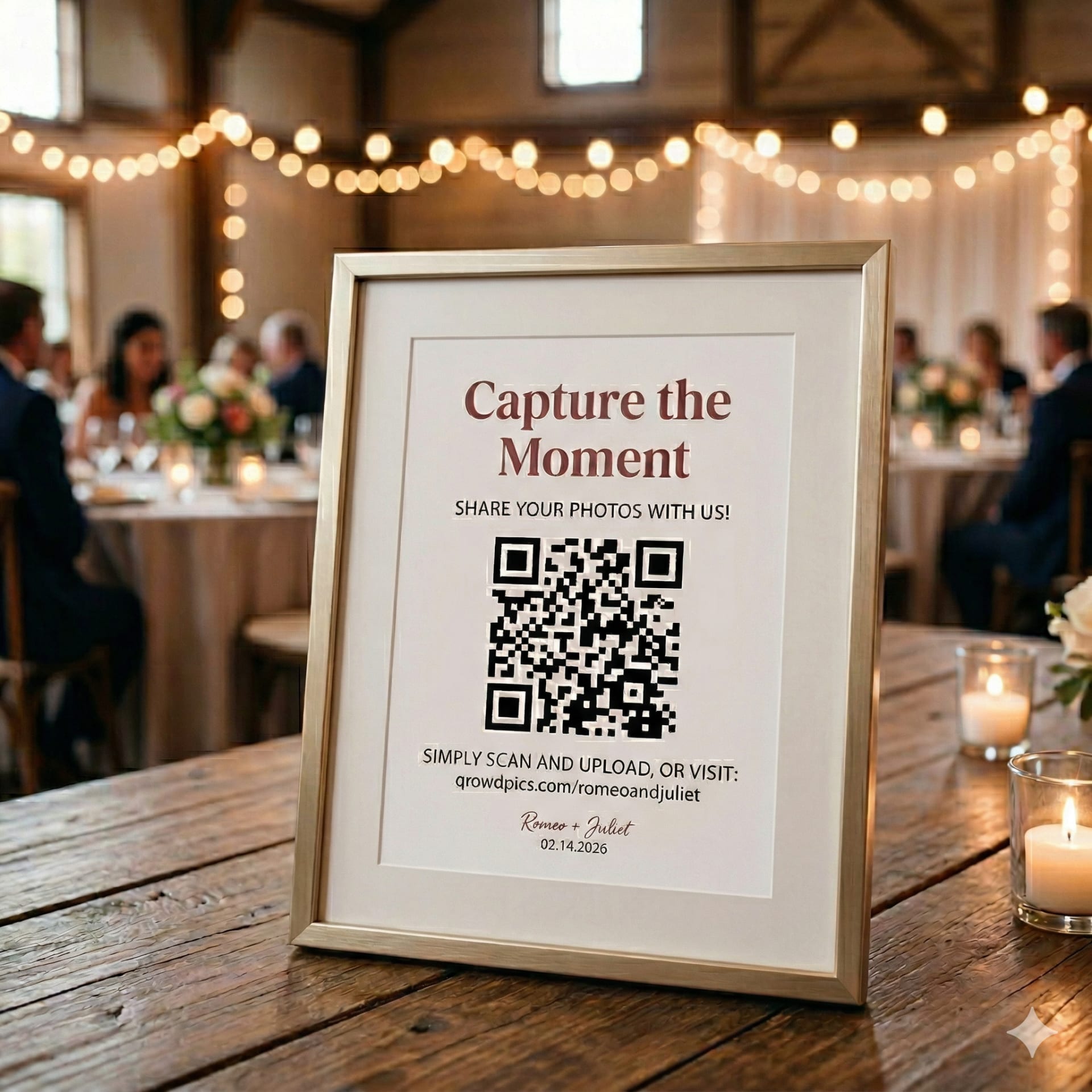
With a service like Qrowd Pics, you get a private gallery page with a custom URL and a QR code. Put the QR code on your table cards. Guests scan it with their phone camera and land directly on the upload page, with no app download, no account and no permissions screen. Photos and videos appear in the gallery in full resolution the moment they're uploaded, so guests who arrive late to the reception can already browse the ceremony.
- Works for every guest. Any phone with a camera can scan a QR code. It opens a browser page. No app, no account, no Google login. Participation is far higher than with any other method.
- Full resolution. Photos are stored and downloadable in original quality with no compression, no cropping and no filters.
- 6 months to upload, 1 year to download. Qrowd Pics keeps the upload window open for 6 months, so guests who didn't get around to it on the day can still contribute weeks later. Your entire collection stays available to download in full resolution for 1 year after the first upload.
- Photos stay in the order they were taken. Guests upload in bursts, some on the night and some weeks later, which turns a group chat or shared folder into a jumble. Qrowd Pics sorts by when each photo or video was captured, so the gallery reads like a timeline of the day. It opens to “Most Recently Captured” by default, and guests can switch to “Least Recently Captured” to start from the ceremony, or to “Most Recently Uploaded” or “Least Recently Uploaded” to sort by when photos were added.
- Bulk download. When you're ready, download everything as a ZIP file in one click. No tapping through individual photos.
- You control what stays. The Premium plan includes upload approval so you can review photos before other guests see them. All plans let you delete anything instantly.
Verdict: The clear winner. Highest participation, best photo quality, easiest to download. The QR code on a table card removes every friction point that kills participation with the other methods.
Wedding photo sharing methods compared
| Method | App required | Compresses photos | QR code access | Cost | Verdict |
|---|---|---|---|---|---|
| WhatsApp / iMessage | Yes | Yes (~80% loss) | No | Free | Poor |
| Dropbox / Google Drive | No | No | No | Free | Poor |
| Google Photos | Yes (iOS) | No | No | Free | OK |
| iCloud Shared Album | No (iOS only) | No | No | Free | OK |
| Instagram hashtag | Yes | Yes | No | Free | Poor |
| Disposable cameras | No | Film only | No | Per camera + developing | Complement |
| Qrowd Pics | No | No | Yes | $39 | Best |
How to have wedding guests upload photos with a QR code
Choosing a QR code gallery is half the job. These steps are what separate couples who collect 30 photos from couples who collect 300.
Step 1: Set up your wedding photo sharing website before the day
The couples who collect the most photos set up their gallery early and let guests find it in advance.
- Add it to your wedding website. A short line like “We'll be collecting photos from the day here” with the gallery link primes guests before they arrive.
- Include it in your day-of details email. If you send guests directions, parking or schedule information, add the gallery link at the bottom so they already have it on the day.
- Share it with the wedding party first. Drop the link in the wedding party or family group chat a day or two before. They'll be the first to upload, and their photos encourage everyone else.
- Test your QR code before printing. Scan it with two or three different phones and check the gallery loads and the upload button is visible. A broken QR code can't be fixed on the day.
Step 2: Put your wedding photo QR code where guests will see it
Placement is the difference between 20 uploads and 200. The best spots:
- Table cards. Guests are sitting, they have time and they're already looking at the table. This is the highest-converting placement.
- A welcome sign at the entrance. Catches guests as they arrive and sets the expectation early.
- The order of service or ceremony program. Guests hold it for an hour, so a line at the bottom is hard to miss.
- The bar and photo booth area. People with drinks in their hands take the most photos.
- Near the cake or sweetheart table. Guests gather here for photos all night.
Every Qrowd Pics event includes a printable QR code sign in 4x6, 5x7 or 8x10, with your names and date, that you can download as a PDF or print straight away.
Step 3: Write a “share your photos with us” sign that gets scanned
The wording on your sign decides whether guests scan it. Keep it short, warm and about the outcome, not the technology.
- Table card (one line): “Scan to add your photos to our wedding album.”
- Table card (two lines): “We'd love to see your photos from today. Scan to add yours to our shared album.”
- Welcome sign: “Help us capture every moment. Scan the QR code to upload your photos and videos to our wedding gallery. No app needed.”
- Order of service: “Share your photos with us. Scan the QR code on your table card to add them to our shared gallery.”
Avoid technical language like “upload to cloud storage” or “shared folder”. Guests respond to “add to our wedding album”, not to the mechanism.
Step 4: Announce it so guests actually upload
Have your officiant or DJ mention the QR code twice during the reception, once early and once mid-evening. Frame it as a gift to the couple, not a task. This script works:
“If you've taken any photos or videos tonight, the couple would love to see them. There's a QR code on your table. Scan it to add your shots to their shared wedding album. It takes less than a minute and they'll have your photos forever.”
Step 5: Keep wedding photo uploads open after the day
Some of the best photos come from guests who took their time editing or simply forgot. A gallery that stays open for weeks catches these stragglers automatically, and your thank you notes are a natural second reminder. Qrowd Pics keeps uploads open for 6 months after your wedding.
How many wedding photos will guests upload?
It depends on guest count, QR code placement and whether you make announcements, but here are rough benchmarks for a 100-guest wedding:
- Table cards only, no announcement: 30 to 80 uploads.
- Table cards and two announcements: 100 to 200+ uploads.
- Table cards, announcements and the wedding party seeded early: 200 to 400 uploads, with more arriving in the weeks after.
The announcement is the biggest lever. Couples who skip it collect roughly half the photos of couples who use it.
Can guests upload wedding photos without an app?
Yes. Any phone camera can scan a QR code, since it's built into iOS and Android with nothing extra to install. The code opens the upload page in the guest's browser, and uploading works just like attaching a photo to a text message, which almost everyone is comfortable with. Guests who prefer can also type your custom gallery URL into their browser.
Guests who hesitate at first usually become enthusiastic once they see the gallery filling up in real time. Watching their photos appear alongside everyone else's makes the upload feel worthwhile.
Approving guest photo uploads
If you're worried about the occasional unwanted upload, the Qrowd Pics Premium plan includes an approval setting that lets you review each photo before other guests see it. Every plan lets you delete any upload at any time from your admin console. In practice, guests uploading to a couple's private gallery are on their best behavior, and most couples never need moderation.
How to share wedding photos with guests after the wedding
Sharing the finished gallery back with everyone is the other half of the job. With a shared gallery, guests who scanned the QR code already have the link. For everyone else:
- Put the gallery link in your thank you notes. Thank you notes reach every guest, and the link doubles as a reminder to upload anything they haven't added yet. Try: “Our wedding gallery is still open. Add your photos or browse everyone's at [your gallery link].”
- Add it to your wedding website. If your website stays live after the event, family can find the gallery any time without asking you.
- Post it in the group chat once. “Here's the link to our wedding gallery: [link]. You can browse everyone's photos and add yours. Uploads stay open for 6 months, so there's no rush.” One message lets you stop answering individual requests.
- Send everything to close family. For parents and siblings who want the full collection, download it as a ZIP file from your admin console and send it directly.
Because Qrowd Pics galleries are viewable without an account, guests can browse and download photos straight from their browser, and your gallery stays downloadable in full resolution for 1 year after the first upload, so there's no pressure to distribute everything right away.
Free wedding guest photo sharing options
If budget is the priority, a Google Photos shared album is the best free option. It keeps photos at full quality, though guests need a Google account to contribute.
Qrowd Pics also has a free plan limited to 20 uploads, which is enough to test the whole experience before you commit. For a full wedding, the Standard plan is a one-time $39 fee with unlimited uploads and no subscription, and Premium at $49 adds upload approval, guest names and messages, and a live slideshow. For most couples, that's a better trade than the participation lost with a free option.
Do you still need a wedding photographer?
Yes. Guest photo sharing complements your photographer, it doesn't replace them. Your photographer captures the portraits, the ceremony and the details you asked for. Your guests capture everything else: the laughter between speeches, the children running around during cocktail hour, the moment your grandmother first saw you in your dress. You want both.
The best way to share wedding photos, in short
If you want the most photos, in the best quality, with the least effort on your wedding day: put a QR code on your table cards that links to a dedicated wedding photo gallery, announce it twice, and send the link again in your thank you notes.
Group chats, shared folders and hashtags all ask guests to do more work and deliver worse results. A QR code removes every barrier between a guest taking a photo and that photo being in your collection.
Wedding guest photo sharing FAQ
What is the best way to share wedding photos with guests?
A dedicated QR code photo gallery is the best way to share wedding photos with guests. Guests scan a QR code on their table card, upload straight from their phone without an app or account, and everyone can browse and download the full collection. Qrowd Pics keeps the gallery open for uploads for 6 months and available to download in full resolution for 1 year.
What is the easiest way to share photos at a wedding?
The easiest way is a QR code on every table that opens a shared gallery in the guest's phone browser. Guests tap upload, pick photos from their camera roll and they appear in the gallery straight away. There is nothing to install and no account to create, so guests can do it in under a minute during the reception.
How do I get wedding guests to upload their photos?
Remove the friction and remind them. Put a QR code on every table card and a sign at the entrance, ask the officiant or DJ to mention it twice during the reception, and add the gallery link to your thank you notes so guests who forgot on the day get a second chance. Seeding the gallery with photos from the wedding party early also encourages everyone else to add theirs.
Can wedding guests upload photos without downloading an app?
Yes. With a QR code gallery like Qrowd Pics, guests scan the code with their phone camera and the upload page opens in their browser. No app download, no account and no sign-in are needed, and it works on any iPhone or Android phone.
What is the app for guests to share wedding photos?
Most couples now use a QR code photo sharing service rather than an app guests have to install. Qrowd Pics gives you a private gallery and a printable QR code, guests upload photos and videos from their browser, and you download everything in full resolution. Google Photos and iCloud shared albums are free alternatives, but each locks out some guests: Google Photos needs a Google account and iCloud uploads need an Apple device.
What is the best free way to share wedding photos?
A Google Photos shared album is the best free option because it keeps photos at full quality, though guests need a Google account to contribute. Qrowd Pics also has a free plan limited to 20 uploads, which works well for testing before committing to the one-time $39 Standard plan with unlimited uploads.
Why is WhatsApp a bad way to share wedding photos?
WhatsApp compresses photos heavily, which ruins quality, and it has no bulk download, so you save hundreds of photos one at a time. Group chat threads also go quiet within a day, so you only collect photos from the guests who posted straight after the wedding.
Where should I put the QR code at my wedding?
Table cards get the most uploads because guests are seated and looking at the table. Add a welcome sign at the entrance, a line in the order of service, and signs near the bar, the photo booth and the cake or sweetheart table, where guests take the most photos.
What should I write on my wedding photo sharing sign?
Keep it short, warm and about the outcome. For example: "Scan to add your photos to our wedding album." Or for a welcome sign: "Help us capture every moment. Scan the QR code to upload your photos and videos to our wedding gallery. No app needed." Avoid technical words like "cloud storage" or "shared folder".
What do you say when sharing wedding photos with guests?
During the reception, have the officiant or DJ say: "If you've taken any photos or videos tonight, the couple would love to see them. Scan the QR code on your table to add them to their shared wedding album." After the wedding, a thank you note line like "Our wedding gallery is still open. Add your photos or browse everyone's at [your gallery link]" works well.
How do I share wedding photos with guests after the wedding?
Send the gallery link in your thank you notes, add it to your wedding website and post it once in the family group chat. With a shared gallery, guests can browse and download photos in their browser without an account. For close family who want everything, download the full collection as a ZIP file and send it directly.
Further reading
- 11 Best Wedding Photo Sharing Apps 2027: a ranked comparison of the top apps for collecting and sharing wedding photos.
- Wedding Photo Booth vs. QR Code Photo Sharing: Cost Compared: a real cost breakdown of a photo booth rental versus a QR code gallery, including hidden fees and whether you need both.
- New: Live Photo & Video Slideshow for Your Event: Qrowd Pics Premium's live full-screen slideshow displays every guest photo and video on a screen at your venue in real time.
- Disposable Cameras vs. QR Code Photo Sharing for Weddings: what disposable cameras really cost, how long film takes to develop, and how to combine them with a QR code gallery.
Set up your wedding gallery in minutes
No app download required for guests. One QR code, unlimited photos, one-time fee from $39.